
Functionality for Administrators and Super Users
Quick Setup (optional): This is a quick way to create similar Service Programs.
It is assumed that the Service Program you want to use as a template already exists in the library.
How to use Quick Setup for Service Programs:
1️⃣ Open "Service" in the main menu.
2️⃣ Select the "Service Programs" tab. This is your library of Service Programs.
3️⃣ Click "ADD SERVICE PROGRAM" to add a new Service Program to the library
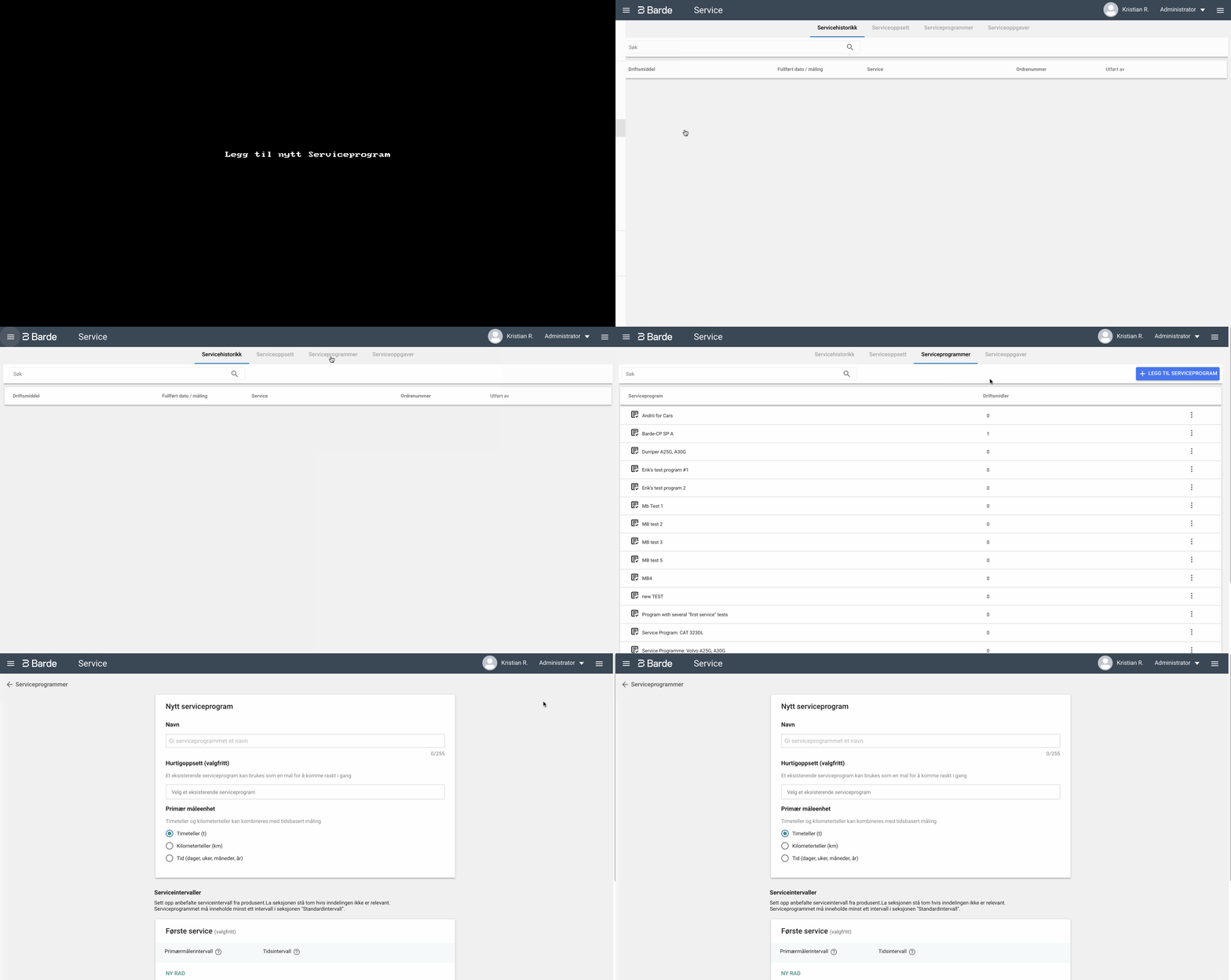
4️⃣ Under Quick Setup (optional), click the drop-down menu and search for/select the Service Program you want to retrieve as a template. The system will then retrieve the Service Interval and Service Tasks from this Service Program.
5️⃣ Rename the copy and make any necessary changes before creating the new Service Program.