
Prerequisites
To change the language, you must be logged in to the Barde Field app.
How to do it
-
Tap the profile icon in the upper-right corner of the app.
-
Select Language from the menu.
-
Choose the desired language from the list.
The language will update automatically in the app.
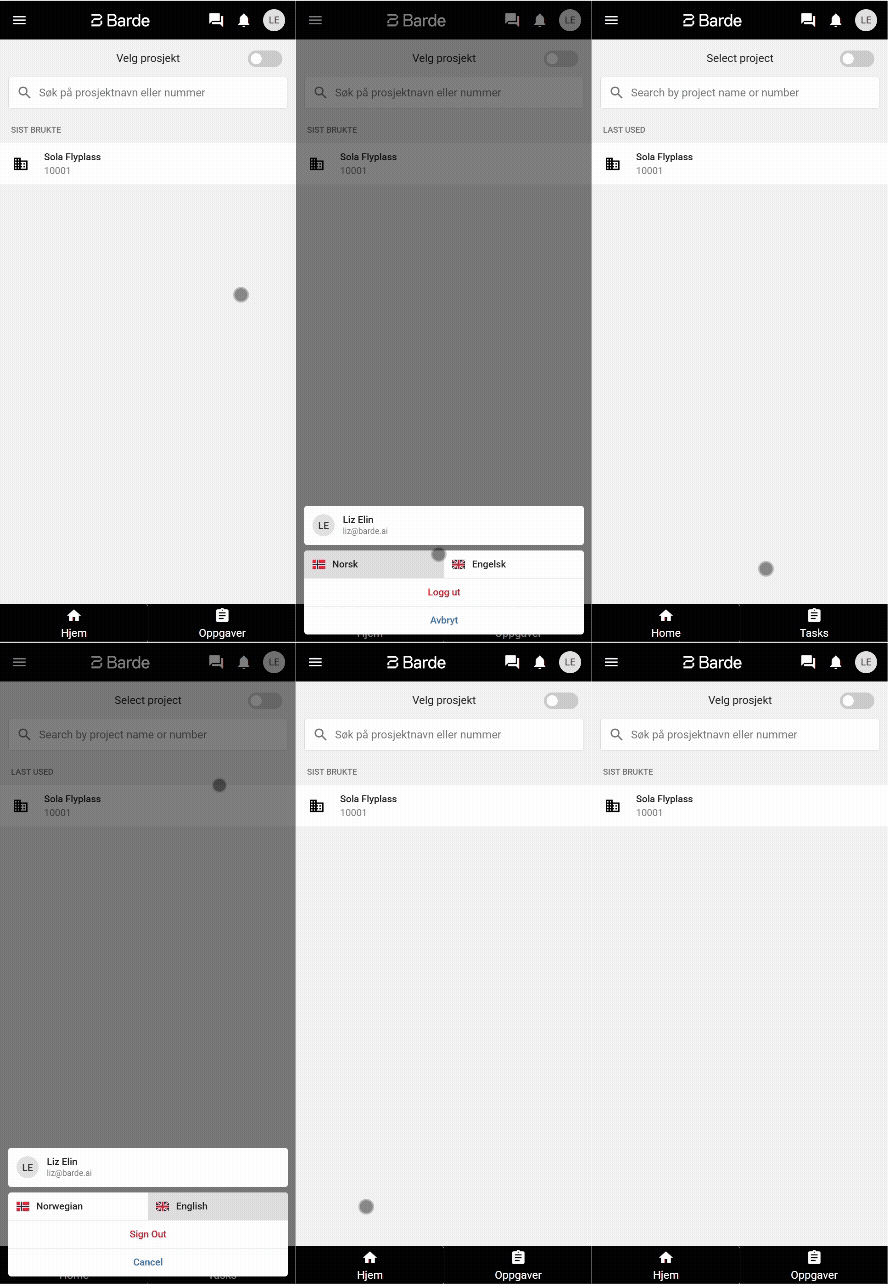
The app will now be displayed in the selected language. The change only applies to your user and can be changed back at any time through the same menu.
Common issues
The language does not change in the app
-
Verify that the correct language has been selected in the profile settings.
-
Restart the app if the language does not update immediately.